How RJT works, shown on real screens
You can practice N2/N3 vocabulary and grammar for free—up to 10 questions a day—without signing up. Follow the real screens for answering, explanations, trying again, and moving to the next question.
STEP 1 Start free practice—no account needed
On the home page, choose N2 Vocabulary, N2 Grammar, N3 Vocabulary, or N3 Grammar. You do not need to log in or register. Pick one area and begin.
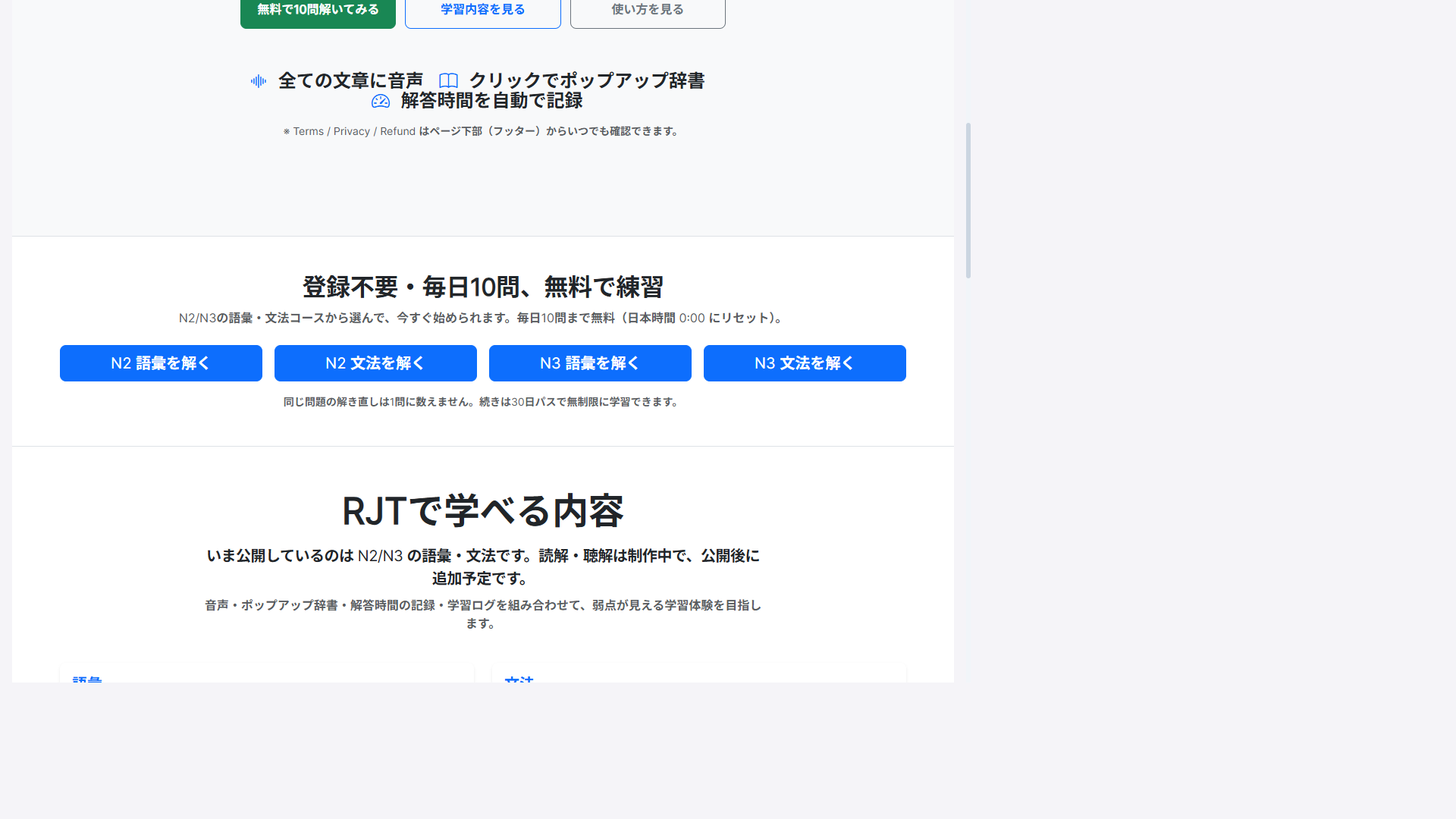
STEP 2 Open a question from the list
Browse the topic’s question list and open a question with “Solve this question.” About 2,000 vocabulary and grammar questions are published, but free practice is limited to 10 unique questions per day.
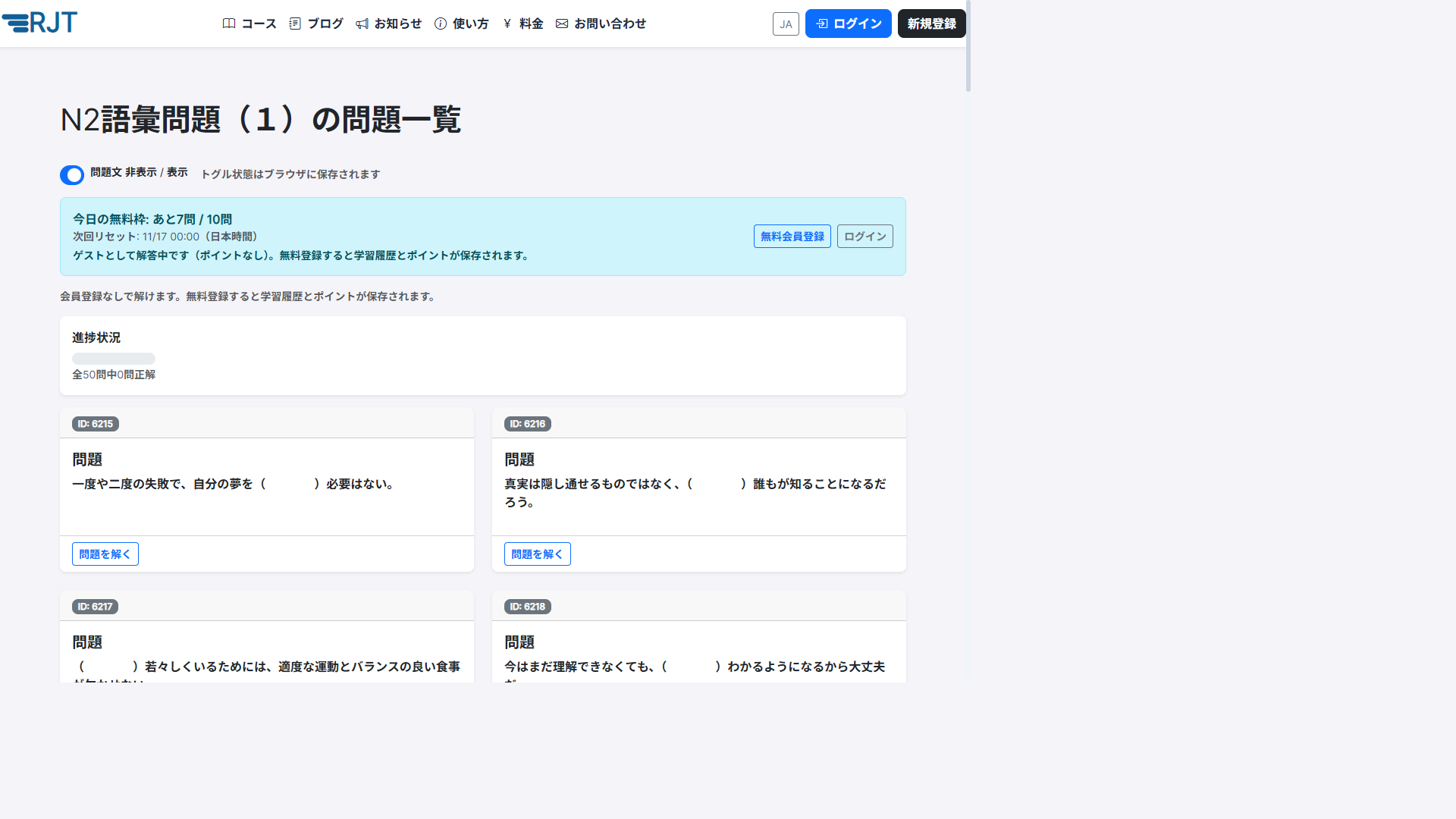
STEP 3 Check your daily free quota
The top of the screen shows how many free questions you have left today. The quota resets at midnight Japan time. Retrying the same question on the same day does not use an extra quota slot.
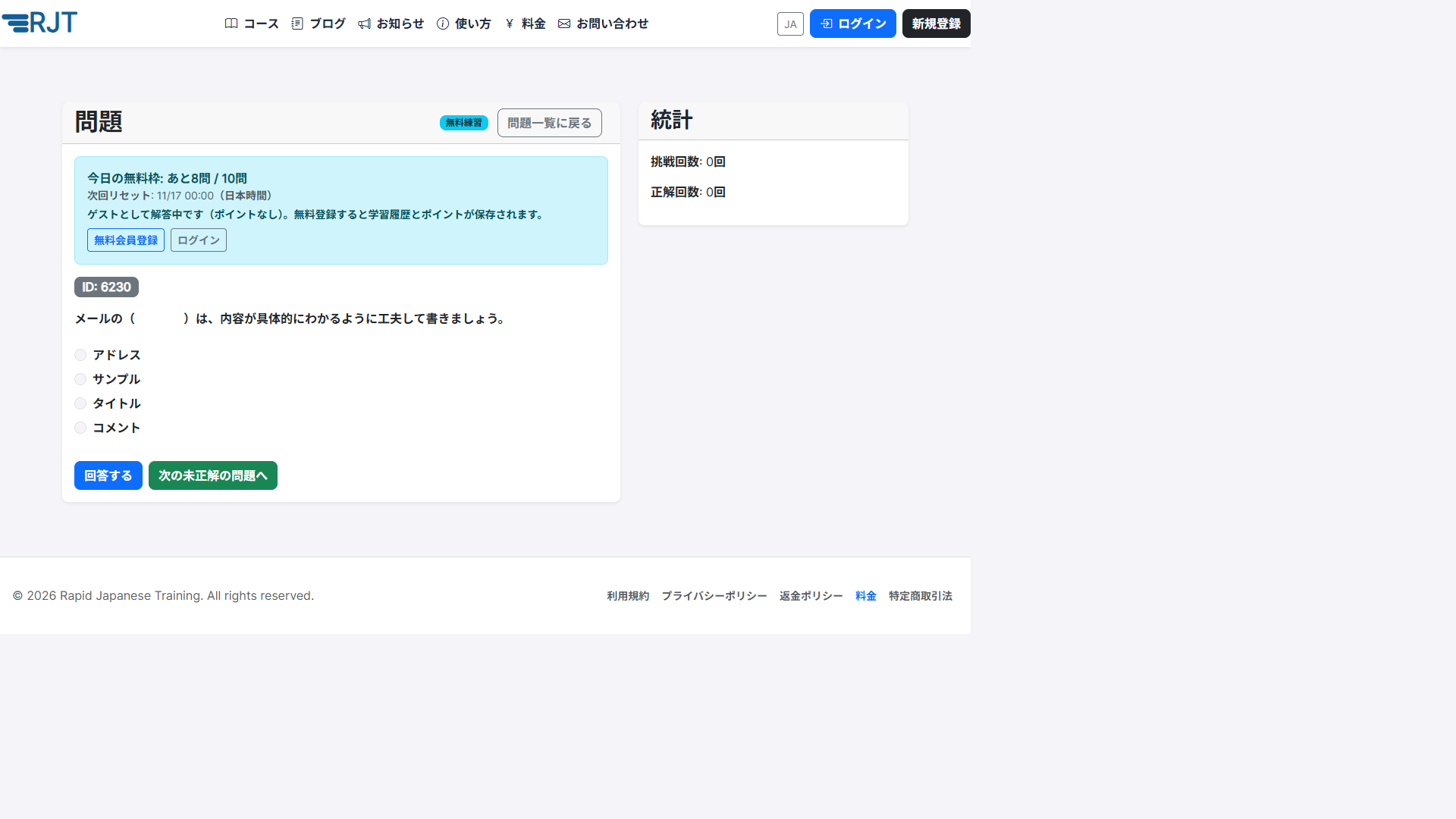
STEP 4 See if you were right right away
Choose an option and press Submit answer. Correct answers show a green result; incorrect answers show red. The correct answer and explanation stay hidden until after you submit.
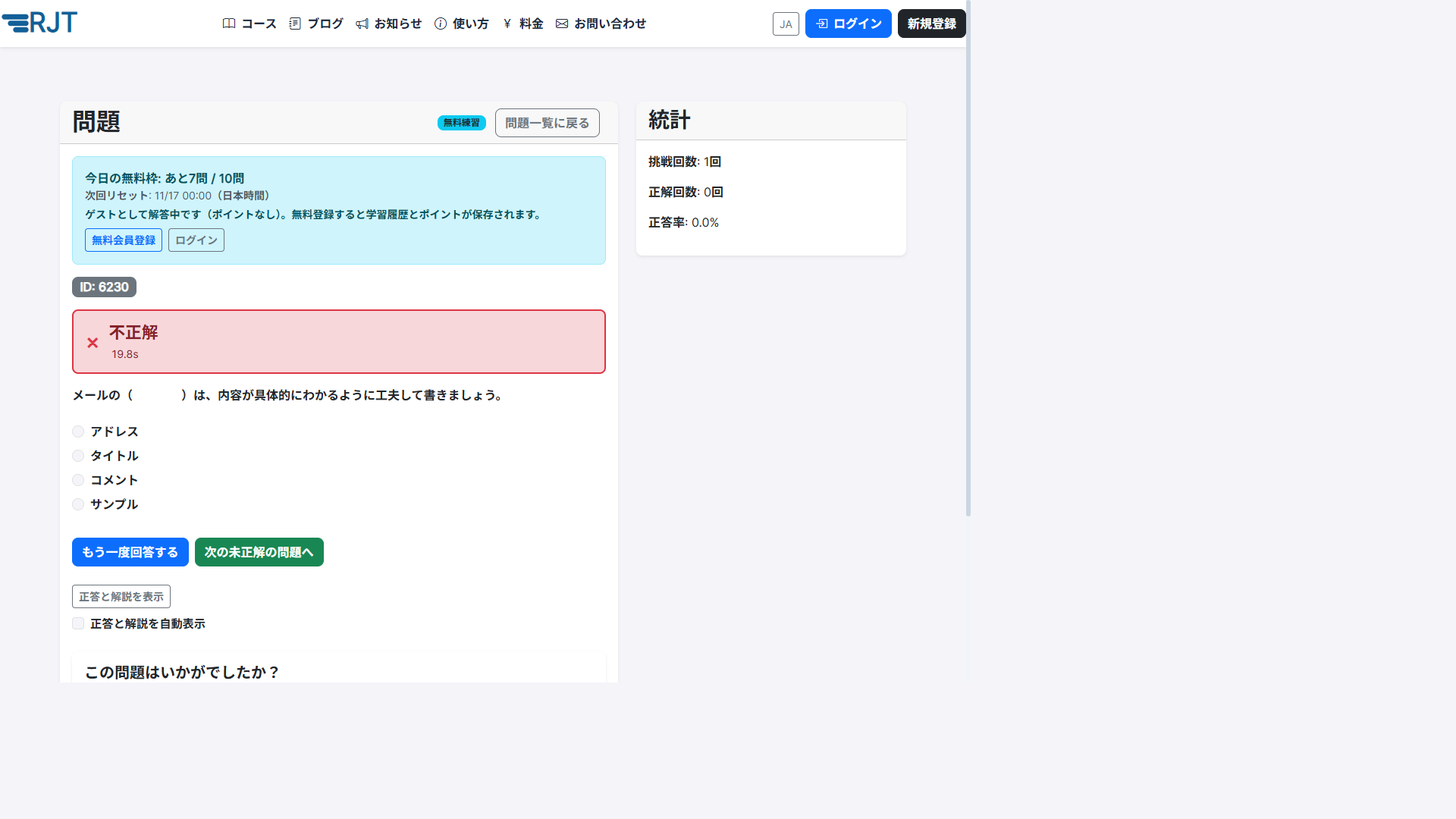
STEP 5 Open the answer and explanation
Use Show / Hide answer and explanation to open or close both together. Auto-show answer and explanation applies to correct and incorrect results (off by default). Explanations switch among Japanese, English, and Chinese. When available, audio and the click dictionary also appear.
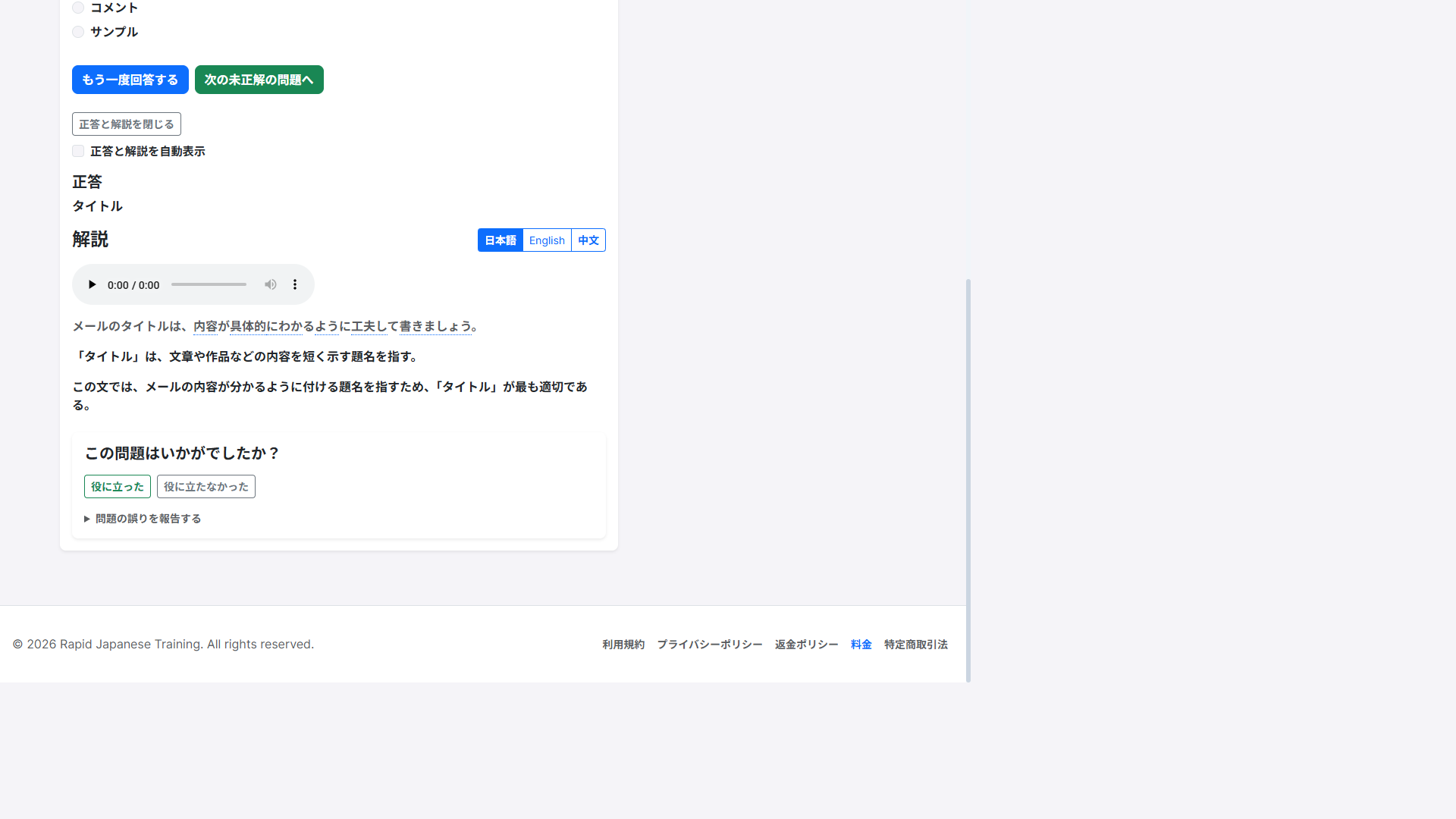
STEP 6 Try again or go to the next unanswered question
On the same screen, press Try again as often as you like. Only the first answer after you open the question counts toward attempts, correct count, and related stats. Return to the list and reopen the question to start a new first answer. Next unanswered question sits to the right of the answer button. After answering, you can also rate the question or report a problem.
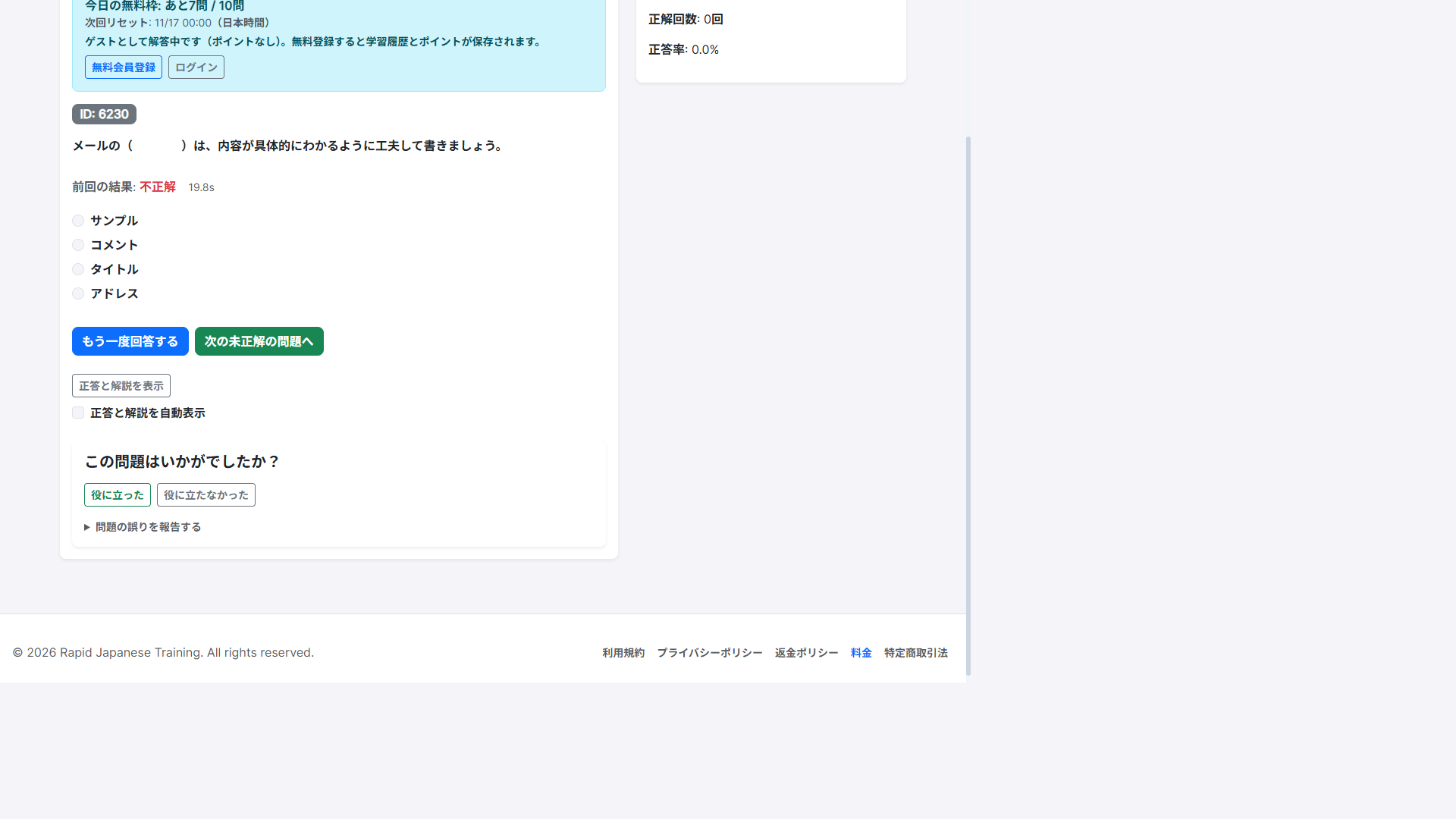
STEP 7 Optional account and 30-day pass
A free account can save points and study history (separate from guest on-screen stats). A 30-day pass removes the daily limit. Reading and listening are still in preparation, so this guide does not present them as features you can practice today.
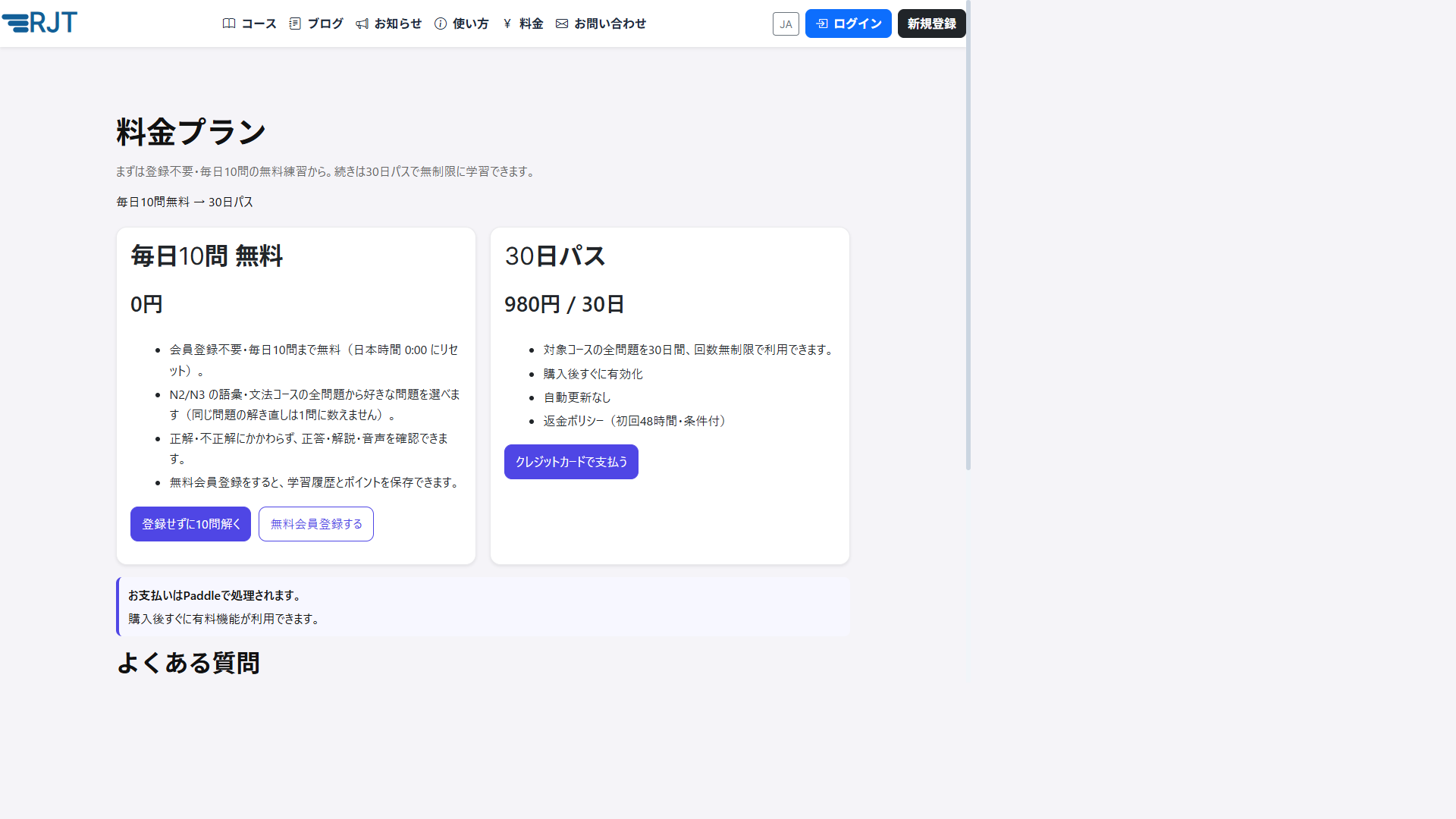
Try one question now—no sign-up required
Free practice is up to 10 questions per day. When you want more, optionally create an account or check the 30-day pass on the pricing page. For prices and refunds, follow the latest pricing and policy pages.